


 inquiry
 download
 RMA
RMA Product News

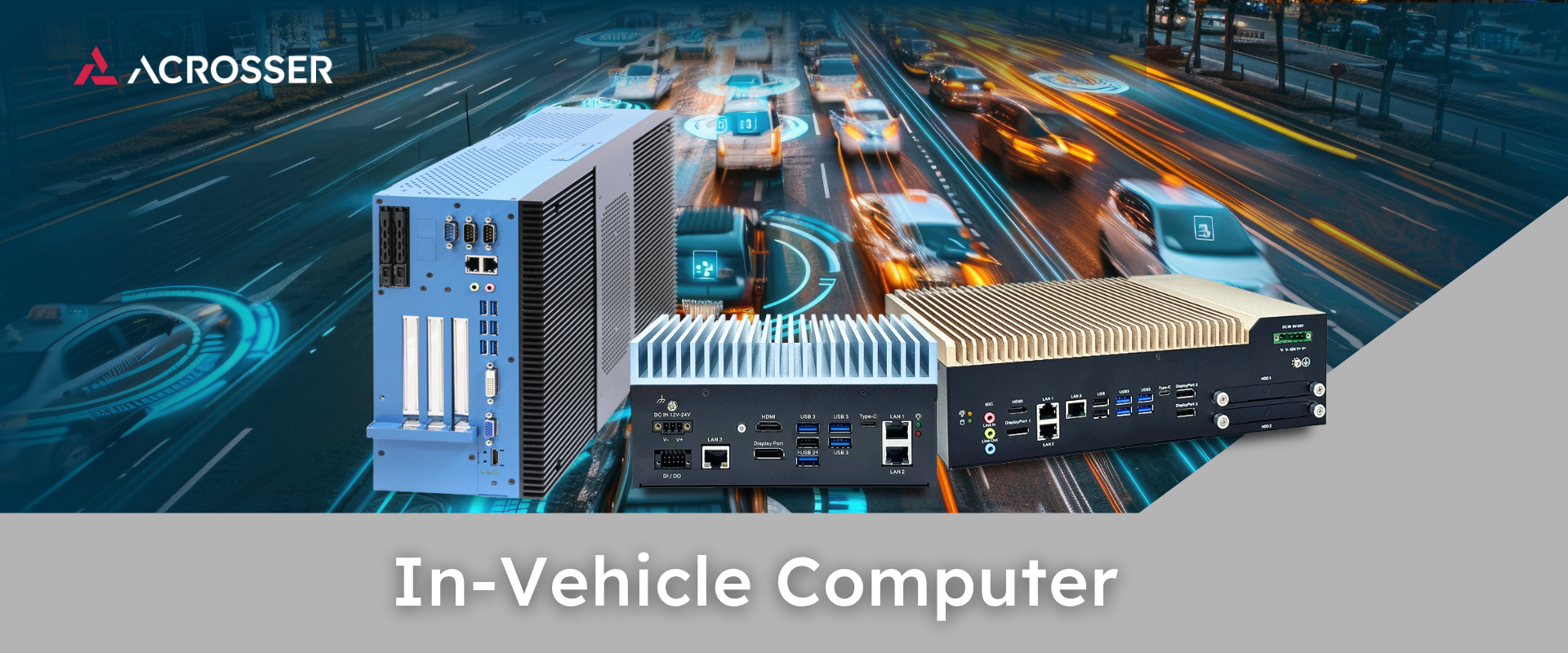
What Is an In-Vehicle Computer?
An in-vehicle computer is a rugged industrial PC designed to operate inside cars, trucks, and other vehicles. It serves as the “brain” for various onboard applications like navigation, safety monitoring, entertainment, and data communication. Unlike a regular office PC, an in-vehicle computer is built to handle the harsh conditions of the road. It uses special design features – such as fanless cooling, solid-state storage, and reinforced enclosures – to withstand continuous vibration, shocks, extreme temperatures, and unstable power supplies.
In-vehicle PCs also include vehicle-specific interfaces not found on normal desktop PCs, for example a CAN bus port to communicate with the vehicle’s electronic control units and an ignition sensing circuit that safely powers the system on/off with the engine. These differences make in-vehicle computers highly reliable in mobile environments where ordinary PCs would fail.
Core Functions of In Vehicle Computer
In-vehicle computers perform a wide range of tasks depending on the vehicle and industry. Common functions include connecting to engine and sensor data for telematics (tracking vehicle location, speed, fuel usage), running fleet management software, displaying navigation and route information, powering surveillance cameras or video displays, and even hosting AI algorithms for driver assistance.
For example, a single in-vehicle PC might gather data from sensors and cameras, process it to provide real-time driving guidance or safety warnings, and upload logs to a cloud platform over a cellular network. Modern vehicles often have multiple such computer systems working together to optimize performance and safety.
What’s Inside an In Vehicle Computer
Internally, in-vehicle PCs share the same fundamental components as other computers, but in ruggedized form:
1. CPU (Processor)
The processor acts as the brain of the system. In-vehicle computers commonly use low-power but capable processor (e.g. Intel Atom®, Intel Core™, or AMD Ryzen™ Embedded). These processors are made for long product life and wide temperature ranges, which are important inside cars, trucks, buses, and heavy equipment.
High-end models may even use server-grade or Xeon® CPUs for intensive tasks. The processor choice balances performance needs (like video processing or AI) with power efficiency, since vehicles have limited power and cooling.
2. GPU (Graphics/AI Accelerator)
For applications like video surveillance or driver assistance, a GPU or AI accelerator is often included. Some in-vehicle PCs integrate NVIDIA Jetson™ modules (tiny AI supercomputers on a chip) to provide powerful GPU computing without a large add-in card. These platforms use NVIDIA’s CUDA parallel computing framework to speed up machine learning and computer vision tasks. Others support external graphics or VPU cards if additional processing is required.
3. Memory and Storage
In-vehicle PCs use high-quality RAM (often soldered or with latches so it won’t come loose) and flash storage (SSD or eMMC) for reliability. Memory capacities can range from a few GB in basic models to 32GB or more in advanced systems, allowing them to run full operating systems and multiple applications.
Storage drives are typically shock-resistant SSDs, sometimes with special automotive-grade NAND that endures more write cycles. This is important for applications like video recording which continuously write data. Some systems also provide slots for removable storage (SD cards or SATA drives) for easy data offload.
4. Expansion slots
To add functionality, most in-vehicle computers have expansion interfaces. Common options include mini-PCIe or M.2 slots for wireless modules (Wi-Fi, 4G/5G cellular, GPS) or I/O expansion (like CAN bus or extra serial ports). High-performance units may offer full PCI Express slots or modular bays to add things like GPU cards, additional LAN ports, or specialized I/O modules. This modularity lets system integrators customize the PC for specific vehicle projects – for example, adding a second CAN bus interface for a bus fleet, or a high-speed storage array for a mobile DVR.
5. I/O ports
In-vehicle PCs feature a rich set of input/output ports to connect with vehicle equipment and peripherals. Typical I/O includes multiple serial ports (RS-232/485) for legacy devices and sensors, USB ports for peripherals, and Ethernet LAN ports (often with PoE support to power cameras or sensors). Digital input/output (DIO) lines are available for interfacing with alarms, ignition signals, or actuators. Crucially, a CAN bus interface is usually built-in for vehicular communication – this allows the PC to talk to the car or truck’s internal network and read data like engine RPM or to send commands.
Many systems also integrate wireless connectivity: they might have Wi-Fi and Bluetooth radios, an onboard GNSS (GPS) receiver for location tracking, and mini-PCIe/M.2 slots where 4G/5G cellular modems can be installed (with external antennas on the vehicle). Finally, video output ports (DisplayPort, HDMI, etc.) allow connection to displays in the vehicle, such as a driver’s console or a passenger information screen. In sum, these rugged PCs bring all the essential connectivity of an office PC plus automotive-specific links into one hardened box.
Standard PC vs. In-Vehicle Computer: Quick Comparison
| Aspect | Standard Office PC / Laptop | Rugged In-Vehicle Computer |
| Vibration & Shock | Designed for stationary use; cables and plug-in cards can come loose on bumpy roads. No special shock absorption – a hard jolt can break mounts or drives. | Built to endure motion, often cable-free designs or locking connectors prevent loose connections . Soldered-down memory and shock-mounted components won’t shake apart. Tested to survive vibration (often compliant with MIL-STD-810G shock/vibe tests). |
| Temperature Range | Typical operating range ~0°C to 35°C (32–95°F). Likely to overheat in a hot vehicle cabin (>60°C) or fail to boot in deep cold. Uses fans which may seize in heat or dust. | Wide operating range (e.g. -20°C to 60°C or better; many are -40°C to 85°C rated). Fanless cooling with heatsink chassis – no moving parts to fail. Can handle scorching summers and freezing winters inside vehicles. |
| Power Input | Expects clean, stable power (e.g. AC from an inverter or a simple 12V adapter). No protection against automotive surge or drain. Sudden loss of power can corrupt data. | Designed for vehicle power: accepts 9–36V DC input (to handle voltage swings). Built-in surge (load dump) protection and ignition sensing to auto-control on/off with the engine. Graceful shutdown sequences prevent battery drain and data loss. |
| Durability & Certification | Not tested for vehicle conditions. No specific certifications (e.g., just consumer safety marks). Likely to fail early in harsh environments. | Tested against automotive and industrial standards (e.g. E-Mark, MIL-STD-810G for shock/vibration, ISO 7637 for electrical transients). Proven to withstand the rigors of the road. |
Key Characteristics of an In-Vehicle Computer
Computers inside vehicles face conditions that regular PCs are not built for, and these conditions shape every part of their engineering. These demands create a set of key characteristics an in-vehicle computer, which are:
Stable Power
Cars, trucks, and machines have noisy and fluctuating power supplies. During engine start, voltage can dip very low (“cold crank”), and when loads are disconnected, voltage can spike high. In-vehicle computers need robust power input circuits that accept a wide voltage range and isolate the computer from these transients. They often include surge protectors and DC-DC converters that ensure a stable output voltage even if the battery input varies (for example from ~6 V up to 36+ V).
Additionally, ignition sensing coordinates the PC with the key switch. The system waits until the engine is running and voltage is stable before powering on, and after key-off it delays shutdown so data can be saved properly. This prevents both hardware damage and corruption from sudden power loss. The goal is simple. Turn harsh automotive power into clean computer-grade power that stays constant during dips or surges.
Handles Thermal Extremes
In-vehicle computers often operate in places with no active cooling or heating – an equipment bay of a bus, a police car in summer, or a mining truck in winter. Therefore, they must be designed for wide temperature ranges far beyond a normal PC. Components are selected from automotive or industrial temperature grades (-40°C to +85°C). The chassis is engineered to dissipate heat without a fan, often using heat pipes and heatsink fins as part of a fanless design. For very hot environments, the PC may be mounted in a spot with airflow or be connected to a vehicle’s HVAC duct.
In extremely cold environments, some systems employ thermal heaters that pre-warm the storage drives or critical components before full boot (since spinning up an SSD at -40 might be problematic). The design challenge is to prevent overheating when the vehicle is under a blazing sun and to avoid condensation or brittleness when it’s frigid. Testing typically involves temperature cycle tests and ensuring that even at high temperature, the CPU/GPU can be throttled or managed to not exceed safe limits. The absence of fans means no internal airflow, so hotspots must be eliminated through good heat spreading design.
Anti Shock and Vibration
Continuous vibration can loosen joints and connectors, and shocks (like hitting a bump or a tool drop) can physically damage a circuit board or cause momentary malfunctions. In-vehicle PCs confront this by using rugged mechanical design – PCBs are often thicker and mounted on standoffs with shock-absorbing grommets. Connectors are often lockable (screw-lock USB, M12 Ethernet, etc.) so cables won’t shake out. Moving parts are eliminated (no spinning drives or fans) to avoid wear-out or crashes due to movement. These systems are tested against standards like MIL-STD-810G or EN 61373 for vibration and shock, meaning they’re shaken and jolted in lab tests to ensure nothing breaks or disconnects.
High vibration can also cause electronic noise (microphonic effects) in components, so design includes proper damping and component selection to mitigate that. The challenge is to maintain performance and connectivity under constant motion – this is why some designs go cable-less internally, directly soldering or using board-to-board connectors instead of wiring that could rattle loose. By meeting strict shock/vibe criteria (for example, MIL-STD-810H which tests up to certain G forces in multiple axes), these computers achieve the needed resilience for bumpy rides.
Data Security and Remote Management
In-vehicle computers increasingly need to be secure against tampering or cyber attacks, as they often handle sensitive data (location tracking, video footage, police queries, etc.) and may even be connected to the vehicle controls. One key requirement is secure boot, ensuring the PC only runs trusted, signed firmware and software. This prevents a malicious actor from installing rogue software if they gained physical or network access. Many designs incorporate a TPM 2.0 chip for hardware security – allowing disk encryption (so if the unit is stolen, data can’t be read) and attestation of software integrity. Another aspect is protection of the vehicle network – for instance, if the PC has a CAN bus connection, it should have firewalling or message authentication to avoid spoofing critical vehicle messages.
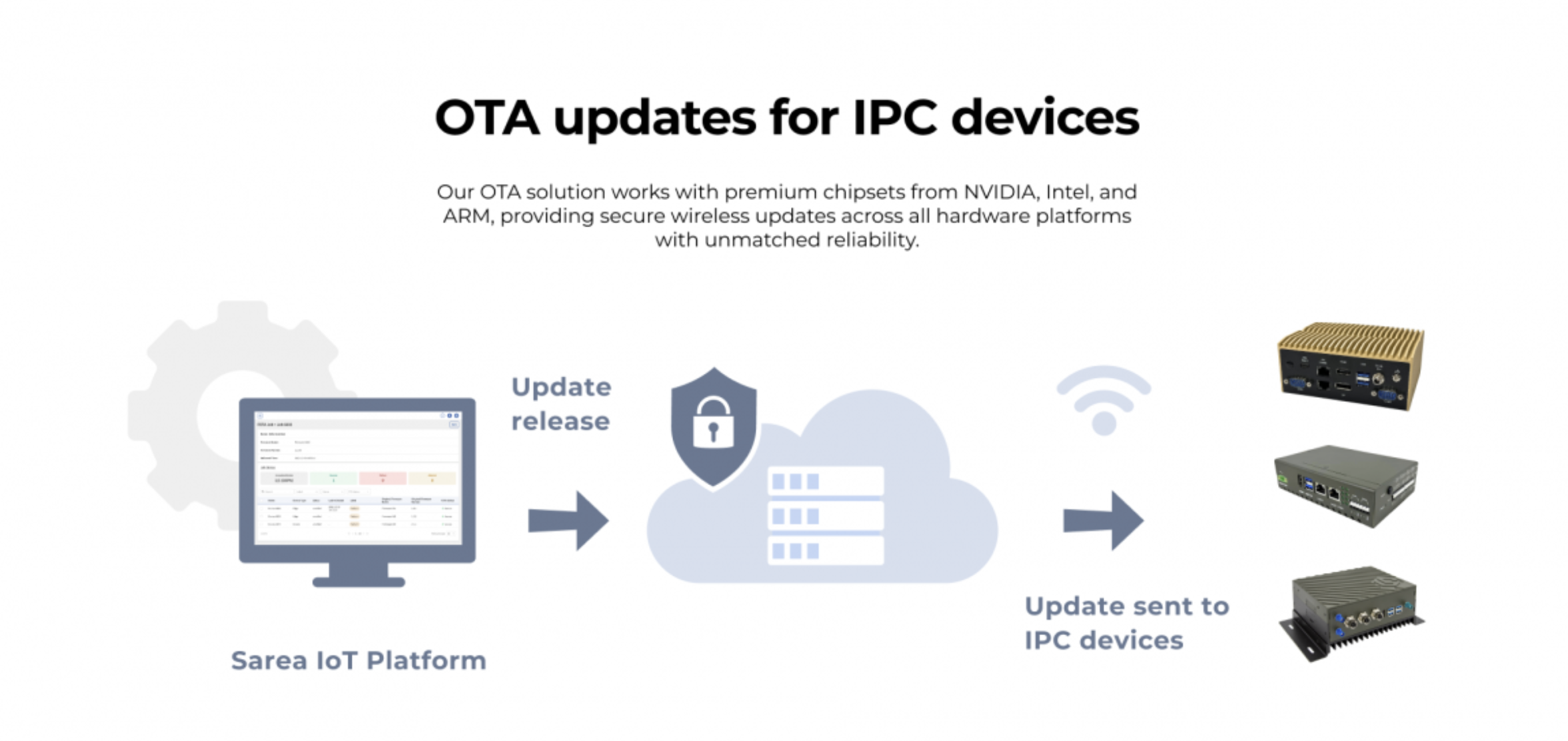
Remote update and management is also crucial, fleet operators want to update software (maps, applications, OS patches) without pulling vehicles out of service. In-vehicle PCs thus need capabilities for OTA (over-the-air) updates, sometimes using a management suite or built-in update agent. This poses design challenges in ensuring updates are robust (e.g., a power loss during an update doesn’t brick the device, achieved via dual-partition strategies), and secure (updates must be authenticated).
Longevity and Lifecycle Support
Unlike consumer electronics that are replaced frequently, industrial and vehicle systems are expected to have a long service life and stable supply chain. Buses, trains, or military vehicles might use the same electronics for 10+ years. So, in-vehicle PC designers must choose components with long availability (using embedded roadmaps from Intel/AMD, etc., where the CPU will be produced for many years) and consider future-proofing the design. Manufacturers often commit to 5-7 years or more of availability for a given model. This reduces the need for recertification in regulated industries (e.g., if a rail computer model changes, you’d have to retest and recertify it).
Designing for longevity includes thermal and power derating (so components aren’t running at their ragged edge), and using higher-grade capacitors and parts that won’t wear out quickly. It also means planning for revision control – if a component does go end-of-life, the manufacturer will spin a new revision but keep it form-fit-function identical, and inform customers. For the user (fleet operator or system integrator), it’s important that replacements or additional units can be bought years down the line. The computers should also be serviceable: maybe modular so that if one part fails (like a cellular module), it can be replaced without replacing the whole unit.
In-Vehicle Computer Operating systems
In-vehicle computers typically run operating systems similar to other embedded PCs. The choice depends on the application requirements
Windows
A large number run Windows 10 IoT Enterprise (or Windows 11 IoT) for applications that need a familiar environment or specific Windows software. Fleet management GUI applications, certain surveillance software, or compatibility with enterprise IT systems might drive the use of Windows. Windows IoT Enterprise provides full Win32 compatibility while allowing some lockdown features for embedded use. It’s popular in police and transit systems where the user interface and existing software base might be Windows-based.
Linux
Many in-vehicle systems run Linux due to its stability, flexibility, and the ease of customization. Linux is prevalent for systems that do heavy networking, custom data processing, or any sort of open-source integration (e.g., ROS in robotics, or AI with frameworks like TensorFlow which run well on Linux). Distributions vary – Ubuntu, Debian, or Yocto-based custom builds are common. For example, an autonomous vehicle’s computer might use Ubuntu with a real-time kernel for deterministic sensor handling.
Real-Time Operating Systems (RTOS)
In cases where precise timing and reliability are critical (safety systems, certain control systems in rail or defense vehicles), an RTOS such as QNX, VxWorks, or real-time variants of Linux might be used. QNX, for instance, is widely used in the automotive industry for infotainment and ADAS and could be chosen for something like a train control computer that requires safety certification. These RTOS offer deterministic scheduling and are often certified for functional safety standards. In practice, for industrial vehicle PCs, it’s less common to run a standalone RTOS on the entire system (since many tasks are high-level), but specific real-time tasks could be run on a separate microcontroller or in a virtualization setup.
Android (or other embedded OS)
On occasion, some in-vehicle systems, especially those more infotainment-oriented (like rear-seat entertainment on coaches or simple navigation units), might run Android or other embedded OS, but for industrial PC class devices, this is rare. In some designs, especially more advanced vehicles, you might have a hypervisor running multiple OSes – for instance, a hypervisor could allow Windows to run a user interface while a separate Linux VM handles real-time sensor processing, all on one hardware. Automotive OEMs do this in high-end systems; industrially, it’s possible if one needs to separate concerns (there are products that support VMware or other hypervisors in a rugged PC).
ACROSSER's In-Vehicle Computer System
Our in-vehicle computers are built around the same engineering demands described in this guide. The hardware is designed to handle unstable vehicle power, wide temperature swings, and continuous vibration while providing the I/O needed for sensors, cameras, and vehicle networks. Fanless construction, solid state components, and automotive power design allow the systems to operate in real vehicle environments without the weaknesses of a standard PC. For operators who need stable long term deployment, our platforms offer consistent performance, OTA update capability, long lifecycle support, and integration that fits fleets, industrial vehicles, and mobile systems. The focus is on reliability and practical design rather than consumer features, making the systems suitable for applications across transportation and field operations.
You can view our full in-vehicle computer lineup here.

Monthly insights and updates. No spam. Just what matters.
We partner with tech leaders to turn ideas into reality, from concept to deployment.
